Data Ingestion in Hadoop: Using Apache Flume and Apache Sqoop
Introduction
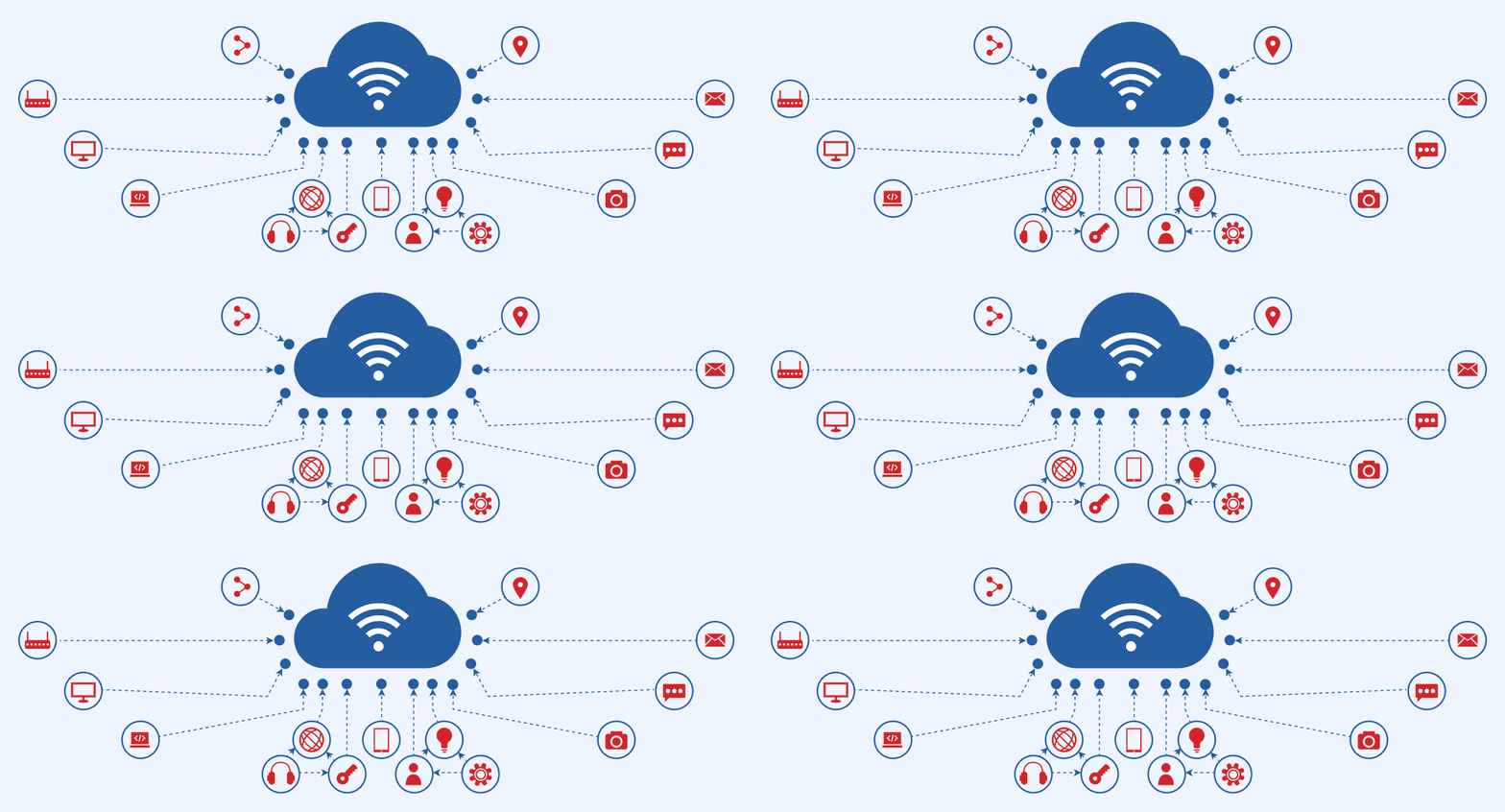
In the Hadoop ecosystem, data ingestion is the process of collecting data from multiple sources and loading it into HDFS (Hadoop Distributed File System) for processing and analysis.
Two popular tools used for ingestion are Apache Flume and Apache Sqoop.
Flume is designed for streaming data (like logs), while Sqoop is built for structured data (like relational databases).
What Is Data Ingestion?
Data ingestion refers to the process of transporting data from various sources into a data lake, database, or data warehouse.
In the case of Hadoop, ingestion means moving the data into HDFS.
There are generally two types of data ingestion:
-
Batch ingestion – Data is moved at scheduled intervals (e.g., every hour or day).
-
Real-time ingestion – Data is continuously streamed and updated as it arrives.
Tools for Data Ingestion in Hadoop
| Tool | Type of Data | Data Flow | Ideal Use Case |
|---|---|---|---|
| Apache Flume | Unstructured / Streaming | Source → Channel → Sink | Log files, social media streams |
| Apache Sqoop | Structured / Batch | RDBMS ↔ HDFS | Database imports and exports |
Apache Flume
🔹 What is Apache Flume?
Apache Flume is a distributed, reliable, and available tool designed to efficiently collect, aggregate, and move large amounts of log data from many sources to a central data store like HDFS or HBase.
🏗️ Flume Architecture
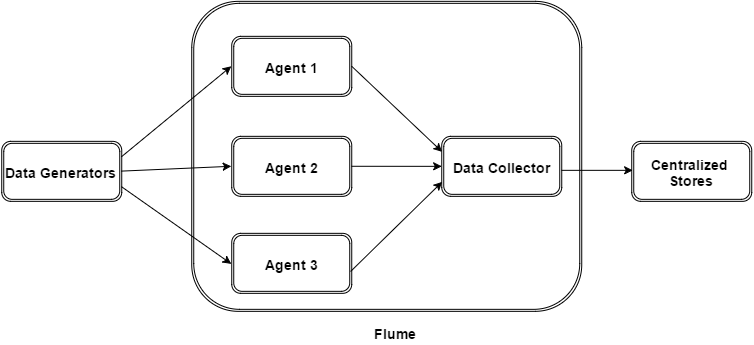
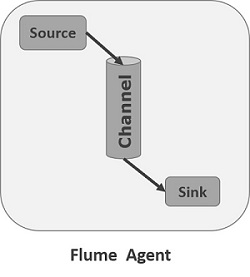
Components:
-
Source: Receives data (e.g., from a web server log file or network socket)
-
Channel: Acts as a temporary store (memory or file-based)
-
Sink: Delivers data to the final destination (HDFS, HBase, etc
Example Flume Use Case
Scenario: Ingesting live web server logs into HDFS.
Flume Configuration Example:
# Agent name: agent1
agent1.sources = source1
agent1.channels = channel1
agent1.sinks = sink1
# Source configuration
agent1.sources.source1.type = exec
agent1.sources.source1.command = tail -F /var/log/apache2/access.log
agent1.sources.source1.channels = channel1
# Channel configuration
agent1.channels.channel1.type = memory
agent1.channels.channel1.capacity = 1000
agent1.channels.channel1.transactionCapacity = 100
# Sink configuration
agent1.sinks.sink1.type = hdfs
agent1.sinks.sink1.hdfs.path = hdfs://localhost:9000/flume/logs
agent1.sinks.sink1.channel = channel1
This setup will continuously push log data from a web server into HDFS in near real-time.
Apache Sqoop
🔹 What is Apache Sqoop?
Apache Sqoop (SQL-to-Hadoop) is a tool that enables you to efficiently transfer structured data between relational databases (MySQL, PostgreSQL, Oracle, etc.) and Hadoop.
🏗️ Sqoop Architecture
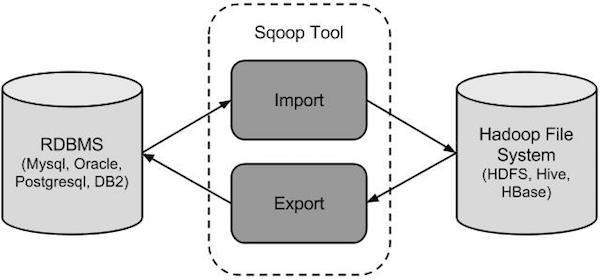
Components:
-
Connectors: Handle the interaction between Hadoop and different databases.
-
Import: Transfers data from RDBMS to HDFS, Hive, or HBase.
-
Export: Transfers data from HDFS/Hive back to RDBMS.
Example Sqoop Commands
Import Data from MySQL to HDFS:
sqoop import \
--connect jdbc:mysql://localhost/employees \
--username root \
--password 12345 \
--table employee \
--target-dir /user/hadoop/employees_data \
--m 1
Export Data from HDFS to MySQL:
sqoop export \
--connect jdbc:mysql://localhost/employees \
--username root \
--password 12345 \
--table employee_archive \
--export-dir /user/hadoop/employees_data \
--m 1
Flume vs Sqoop

Integrating Flume and SqoopSometimes, organizations use both Flume and Sqoop together.
| ||||
Real-World ExampleUse Case: An e-commerce company wants to analyze customer behavior.
This hybrid ingestion setup allows for real-time + historical analysis. | ||||
Conclusion

Data ingestion is the first step in any Big Data pipeline.
Using Apache Flume and Apache Sqoop, you can easily bring in both streaming and batch data into Hadoop for processing.
Together, they form a powerful duo in the Hadoop ecosystem — enabling seamless data movement from diverse sources to HDFS.
~By Rohit Patil, Vedashree Patil, Sahil Patil , Vidhant Vanwari
Under the guidance of Dr. Prakash Parmar
Department of Computer Engineering — Vidyalankar Institute of Technology
Refrences:
- Apache Kafka Documentation – Apache Software Foundation. https://kafka.apache.org/documentation/
- Apache Spark Structured Streaming Guide – Apache Software Foundation. https://spark.apache.org/docs/latest/structured-streaming-programming-guide.html
- MongoDB Manual – MongoDB Inc. https://www.mongodb.com/docs/manual/
- Flask Web Framework – Pallets Projects. https://flask.palletsprojects.com/
- Chart.js Documentation – Chart.js Contributors. https://www.chartjs.org/docs/latest/
- Apache Software Foundation. Apache Flume Documentation.https://flume.apache.org/
- Apache Software Foundation. Apache Sqoop Documentation.https://sqoop.apache.org/
🏷️ Tags:
Hadoop, Apache Flume, Apache Sqoop, Big Data, Data Ingestion, HDFS, Hive, Flume vs Sqoop, Hadoop Tools, Data Engineering
Comments
Post a Comment